
Join the FAYDTA Discord
Discord is a free chat app — like a group text, just for our downtown community.
Join the FAYDTA Discord →Free. No spam. Works on any phone or computer.
Never used Discord? Three steps.
Section titled “Never used Discord? Three steps.”Step 1: Install the free Discord app
Section titled “Step 1: Install the free Discord app”Tap the button for your phone:
🍎 iPhone or iPad — App Store
🤖 Android — Google Play
Look for the purple game-controller icon by Discord, Inc.
Step 2: Create an account
Section titled “Step 2: Create an account”Open the app you just installed and tap Register. Use your email address and pick a display name (your real name or business name is great). The screen looks like this:
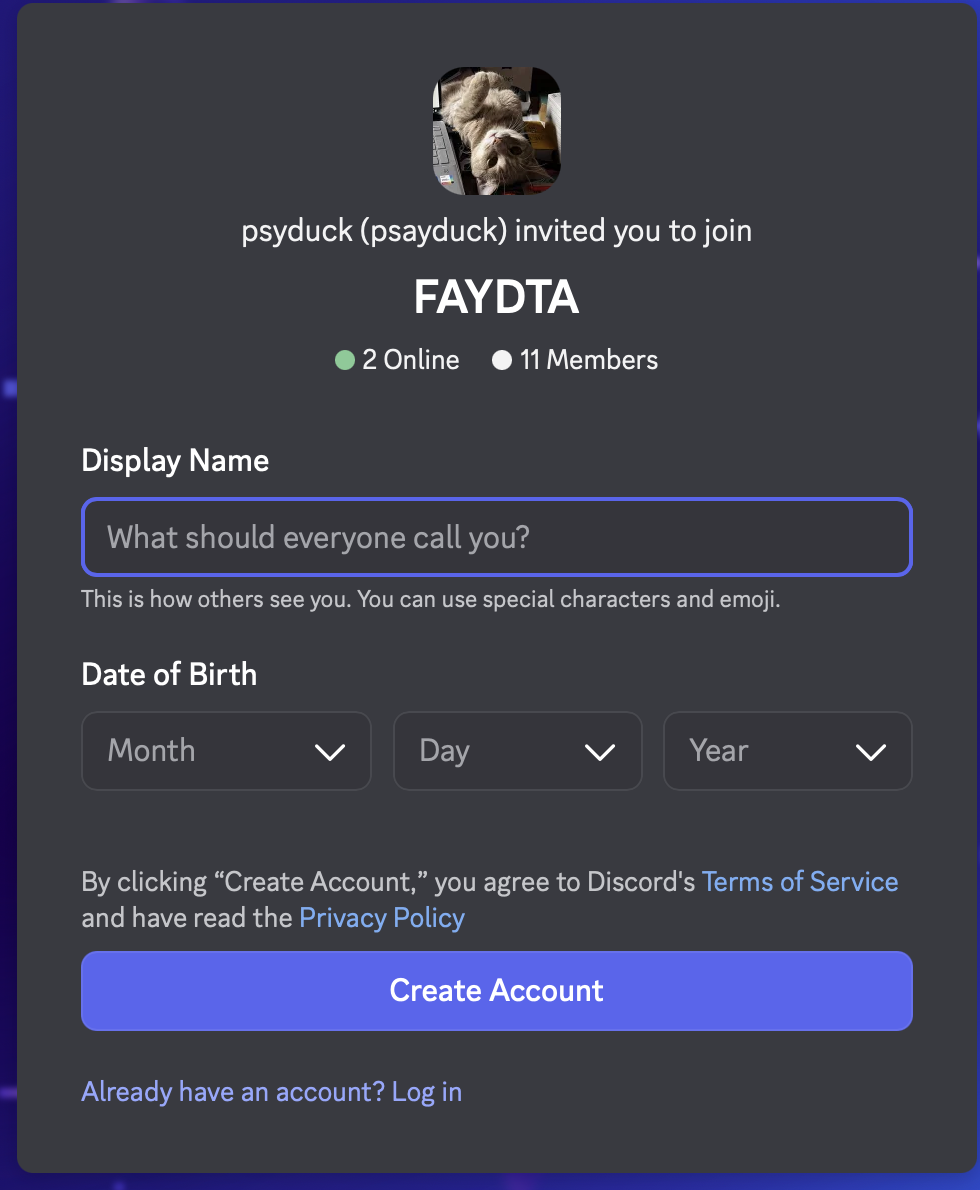
Discord asks for your birthday — that’s normal. They’re required to check you’re over 18, and it’s never shared with anyone.
Step 3: Tap the blue button above to join FAYDTA
Section titled “Step 3: Tap the blue button above to join FAYDTA”It opens straight in your Discord app — sign in if it asks, then tap Accept Invite.
It takes about 10 minutes the first time. After that, it’s as easy as reading a text message.
👉 Want every step spelled out, with pictures of what to tap? Read the full guide: Install Discord and join
Already have Discord?
Section titled “Already have Discord?”Just tap the blue button above — it takes you straight to our invite.
What’s inside
Section titled “What’s inside”- Announcements — board news and event notices
- Neighbor chat — ask questions, share ideas
- Live board meetings — listen from home when you can’t make it downtown
Want a person to help you?
Section titled “Want a person to help you?”We’ll sit with you and your phone at the next DTA meeting — it takes about 10 minutes.
Email info@faydta.com and say “Discord help,” or see Need help?